
3 World Model Tools Your Business Can Try Today
%20(1).jpg)
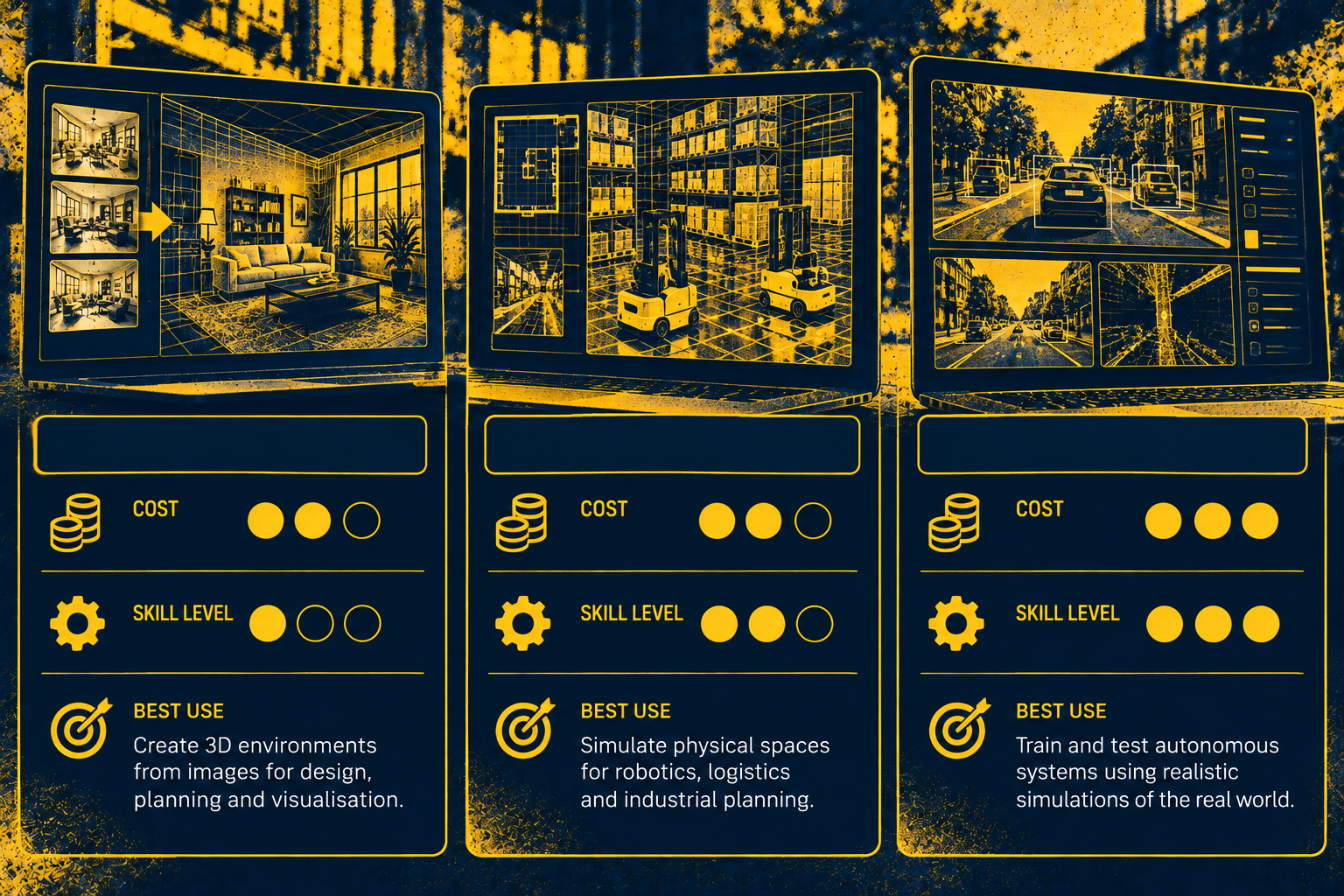
Three of the most accessible world model tools are open to businesses right now: World Labs' Marble, Google's Project Genie and NVIDIA Cosmos. In our view, Marble is the most useful for a small business today, Project Genie works best as a demo and Cosmos suits firms with developer support.
Most coverage of world models talks about robots and the next decade. If you would rather spend an hour this week seeing the technology for yourself, this guide shows what each tool costs and whether it earns a place in your business. For the background, start with our guide to AI world models and the next wave of AI.

How We Judged These World Model Tools
We looked at three things: the cost to start, the skill needed and whether the output has a clear business use. We also checked whether each tool is open to UK businesses. As we do not sell software, none of these verdicts carries a commission.
1. World Labs Marble: The Most Practical Starting Point
What Marble does
Marble builds explorable 3D worlds from text, images, video or rough 3D layouts, according to World Labs. You can edit and expand a world, then export it as meshes, Gaussian splats or video for use in other software.
What Marble costs
TechCrunch reported four tiers at launch: Free with four generations, Standard at $20 a month, Pro at $35 a month and Max at $95 a month. World Labs' billing guide lists commercial rights to generated worlds from the Pro plan upwards. Check the current tiers before you buy, as prices are in US dollars and can change.
Our verdict on Marble
Marble suits estate agents, architects, interior designers, retailers planning a refit and marketing teams who need 3D visuals. Start on the free plan to test it with your own material. Move to Pro before any client-facing use, because commercial rights only start at that tier.
2. Google Project Genie: Impressive but a Demo for Now
What Project Genie does
Project Genie lets you sketch a world with text and image prompts, explore it in real time and remix it, running on Google DeepMind's Genie 3 model, according to Google's launch post. In May 2026, Google opened it to eligible AI Ultra subscribers globally and added Street View grounding for US locations.
What Project Genie costs
Project Genie comes with Google AI Ultra, which starts at £79.99 a month in the UK. Google restrict access to subscribers aged 18 or over.
Our verdict on Project Genie
At launch, Google capped each session at 60 seconds. They still describe Project Genie as 'an experimental research prototype'.
If you already pay for Ultra, spend ten minutes with it to see where simulated training worlds are heading. We would not subscribe for Genie alone.
3. NVIDIA Cosmos: Free, Powerful and Built for Developers
What Cosmos does
NVIDIA describe Cosmos as an open platform that helps developers build physical AI for robots, autonomous vehicles and smart infrastructure, in their GitHub repository. Cosmos 3 generates images, video and action predictions from text, visual inputs and spatial controls.
What Cosmos costs
The models are open and free to download. Anyone can also try Cosmos 3 Nano in a browser playground on build.nvidia.com. Running it yourself is another matter, since NVIDIA recommend high-end GPUs such as the RTX Pro 6000, H100 or B200 for that model.
Our verdict on Cosmos
Try the playground to see what synthetic training data looks like. For anything more, you need a developer or a partner, much as with the open models in our Gemma 4 guide. Cosmos makes most sense for manufacturers, logistics firms and product designers with technical support.
Try World Model Tools Safely
In our view, free trials are a common route into shadow AI. Before anyone uploads photos of a client's home or plans for a new site, agree what data can go into these tools.
Our guide to shadow AI explains the risks. Our AI policy guide covers what to put in place first.
Which World Model Tool Should You Try First?
The fair objection is timing. These tools remain rough. None of them will change your bottom line this month.
An hour of hands-on time still pays off. You learn what the technology can and cannot do, which makes you a sharper buyer when suppliers start selling it to you.
Start with Marble's free plan, try Project Genie only if you already have Ultra and leave Cosmos until you have a developer on hand.
FAQs
Can I try world models for free?
Yes. Marble has a free plan, while NVIDIA let anyone test Cosmos 3 Nano in a browser playground. Project Genie needs a paid Google AI Ultra subscription.
What is the best world model tool for a small business?
In our view, Marble. It needs no technical skills, costs little to start and produces visuals you can use with clients once you move to the Pro plan.
Is Project Genie available in the UK?
Yes. Google opened Project Genie to eligible AI Ultra subscribers globally in May 2026, although Street View grounding covers only US locations for now.
Do I need technical skills to use world models?
Not for Marble or Project Genie, which both work from simple text and image prompts. Cosmos is different, because running it beyond the playground means working with Python, Docker or NVIDIA's own containers.
Find the World Model Tools That Fit Your Business
The best world model tools are the ones that solve a problem you already have. If you sit at the Curious stage of the AI confidence journey, a structured session will show you where that problem sits. Jon Rew, Managing Director at Scimitar Sports, said our workshop 'highlighted things that were likely costing us money'.
Book an AI Workshop to match world model tools to your own operations. In half a day to a full day, your leadership, operations and finance teams leave with a clear report of findings and key objectives.
.png)
%20(1).png)
%20(1).png)